How we restore clarity from imperfect recordings.
Audio Enhancement Technology (Explained)
Your recordings may be old or imperfect, but your voice is still there. We make it clear enough for our system to understand and recreate.
The Reality of Audio
Perfect Voices from Imperfect Sources
Most people do not have clean studio audio from years ago. That should not stop anyone from getting their voice back or hearing a loved one again.
Our enhancement process focuses on the natural sound of the human voice and removes distractions that built up over time. This gives our AI a clear signal, so the final result feels more real and familiar.
No Studio Required
Use What You Already Have
You do not need a microphone set or recording booth. You can upload everyday audio like WhatsApp messages, voice notes, home videos or short clips from your phone.
Enhancement happens instantly in the background. No waiting, no engineering degree needed. No extra steps, no technical skill required.
The Science
How We Isolate the Human Signal
Every voice carries a unique fingerprint. Old recordings often hide that fingerprint behind background hum, uneven loudness or muffled clarity.
Our enhancement process removes those barriers so the system can focus on the important parts: tone, phrasing and emotional color.
The voice becomes easier to analyze and easier to recreate in a natural way.

Vocal Definition
Presence Boost Technology
Old recordings often sound muffled. We apply a targeted 3 kHz Presence Boost to specifically lift the frequencies responsible for speech intelligibility. This sharpens consonants and ensures the AI captures the unique ‘fingerprint’ of the voice, rather than a dull, muddy version.
Low-End Cleanup
Rumble & Noise Filtering
Background hum, wind, or handling noise can confuse the cloning process. Our 110 Hz Highpass Filter cuts out these low-frequency distractions before they reach the AI. This leaves a clean, focused vocal track that is much easier for our system to analyze.
Signal Stabilization
Smart Dynamics & Leveling
Volume often drops to a whisper or spikes too loud. We use Dynamic Compression and Gain Adjustment to stabilize the volume for a consistent, strong signal. We also convert to Mono to prevent phase issues, ensuring the cloning engine gets a technically perfect input file.
Free
Built for Moments That Matter
Some people want to hold on to a voice they miss. Others want to speak again with the sound that feels like home.
Our enhancement process is designed to help in both situations. It prepares real recordings from real life, even if they were never meant for anything this important.
Testimonials
Voices from people who trusted the process
From a whisper to my real voice.
Cleared up the muffled sound
Fixed the phone handling noise
FAQ
People often have questions before they upload something so personal. The process is simple, safe and designed to protect every voice we work with. Here are the most common questions.
There is no waiting room, no separate tool and no technical setup.
The time it takes depends on the length of the recording, but for most people it is completed within moments.
Still have more questions?
If you need help choosing the right recording or want guidance through the steps, we are here to support you at any time.
Analyze My Audio NowCheck Your Audio For Free
Upload your recording and let us check if it is strong enough for a natural and recognizable voice result. The review is quick, safe and costs nothing.
Check My Audio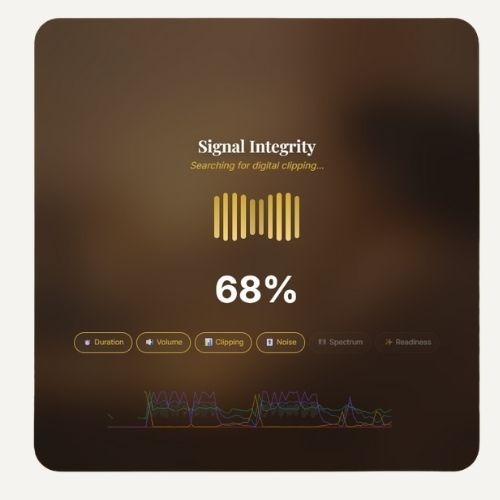
Example analysis showing signal quality before processing.